- Date
Using an old laptop as my main dev machine
Why
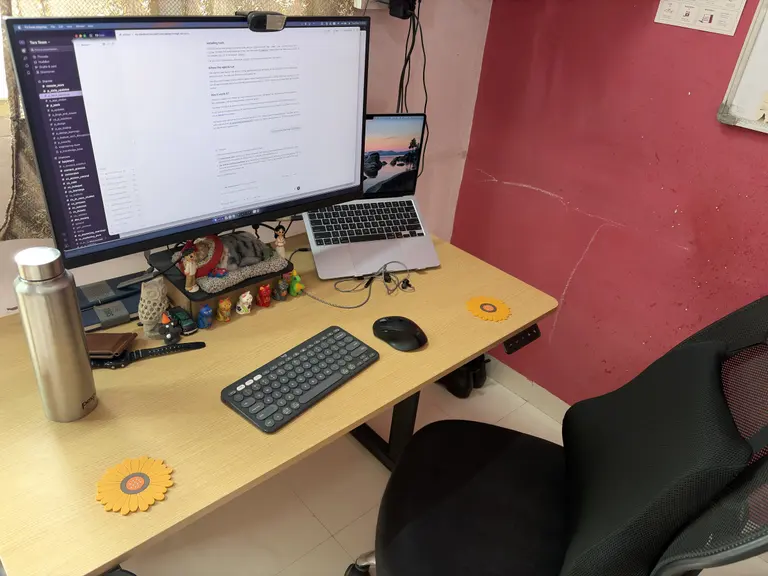
I bought an M4 Air (512GB version) last December and shifted pretty much all my work stuff and personal stuff to it. It’s a great laptop, I have never seen something that can stay on battery for so long (yes, this is my first MacBook). Even being so thin and no fans this thing can run everything I want. There is a problem though: the M4 is a powerful chip but it can thermal throttle after it heats, and in the summers of Aurangabad oh boy, it heats. My room has no AC, so the temperature can be anywhere from 25-41°C around the year. My room only has a window and a fan to cool it off. Now running all the dev servers, the AI agents, even being on call or being on WhatsApp this thing heats and throttles which annoys me, so I got one of those peltier cooler fans gamers use which works but still doesn’t cool this thing that much.
Another problem that I have started seeing with my more active lifestyle I’m being less and less around my laptop even though I want to work remotely so running everything on an unplugged MacBook became a struggle. I love how using Codex I could keep instructing my agents to work, and now I use T3 Code to do the same thing. But keeping the MacBook on all the time did become annoying. So I decided, why not look into the remote machine thing I keep hearing about on Twitter?
The machine
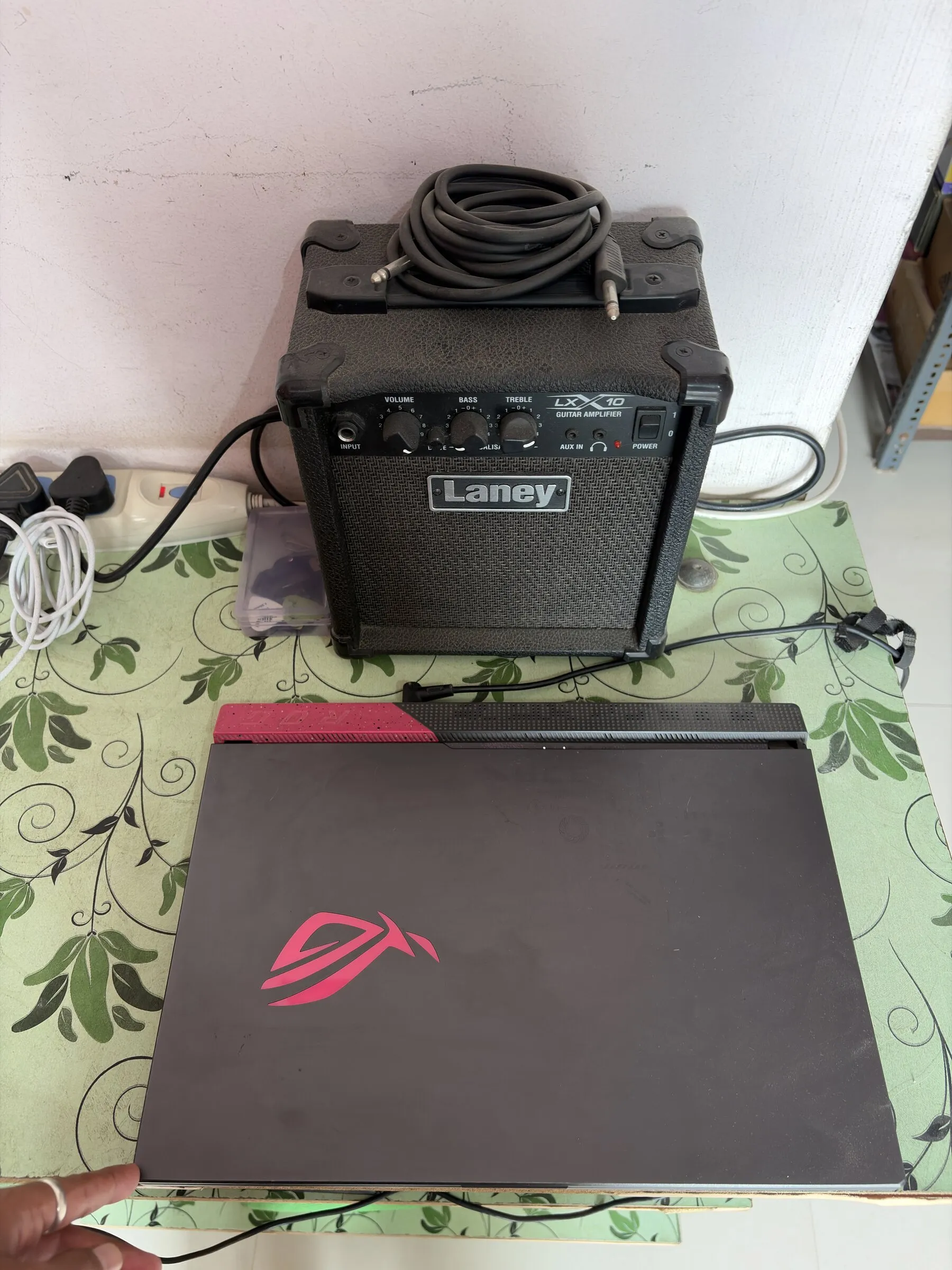
The machine is an ASUS ROG Strix laptop (Electric Pink). Yes, this is what got me through my last year of engineering and I used it till Dec 2025 before I got the M4 Air. Now it is not a joke: even though I fried one of its 16GB RAM sticks, it still has 16GB remaining, an AMD Ryzen 7 4800H processor and an NVIDIA RTX 3050. I know, unimpressive, but still more than good enough and it has two fans to keep itself cool.
The Setup
All I did was to charge this old laptop and put Fedora on a USB stick and install it. The KDE version has tbh everything I needed; all I installed extra on it was Helium browser, Claude Code, Codex, CLIProxyAPI, Tailscale and T3 Code. To be honest I didn’t even install anything myself. After setting up T3 Code I just asked Claude to do everything from setting up SSH to Tailscale to copying all my projects to installing small tools like AWS CLI and all.
The result? It works just like my M4 Air without me having to put in any effort. I just made sure it is plugged in 24/7 with sleep turned off and T3 Code launches automatically. With 32GB swap this laptop runs all of my workload now and I use my M4 Air to type, take calls or browse around. This setup feels amazing even if the ASUS somehow deletes everything on it, my MacBook still has all the creds and setup, so I don’t have to worry about being disconnected.
Without t3code it would have been painful though to use this kind of setup as it provides easy way to connect multiple devices and spawn threads for multiple providers like claude code, codex, opencode etc. The UI is amazing and if you havent tried this I know it would hard to understand how easy everything feels. Now with t3code available as an iOS app, I can keep checking on work even when I’m out, it has its own remote connection layer (free for now), but if you don’t want to sign up it supports Tailscale without any issue.
Cost
Well, I already paid off this laptop and it was just collecting dust so 0 for me, as for the energy of keeping the laptop turned on 24/7, I think it could cost 500-1000 INR a month, I have no idea. But not an issue as I really don’t want to do the whole cloud dev machine from providers thing which costs based on usage.
Is it worth it?
Yeah, not having to work on a slow M4 Air because you’re running a lot of stuff just feels nice. And for a lot of the development I do, Linux is similar or better than macOS anyways (you can figure out this for yourself if this will be true for you or not).
Any improvements to this setup?
I guess I will need to find a better location than random table, but yeh that is it tbh. I dont see any other issues with this setup as of now.